Adding Users to a Project
Once you've created a Project, you'll want to ensure that the appropriate users have access to it. Only those users with a Project Role of Manager or higher will have access to all Projects automatically. All other users must be given specific access to the Projects they'll need by following these steps:
1) To add users, click the Information link on the Project Card.
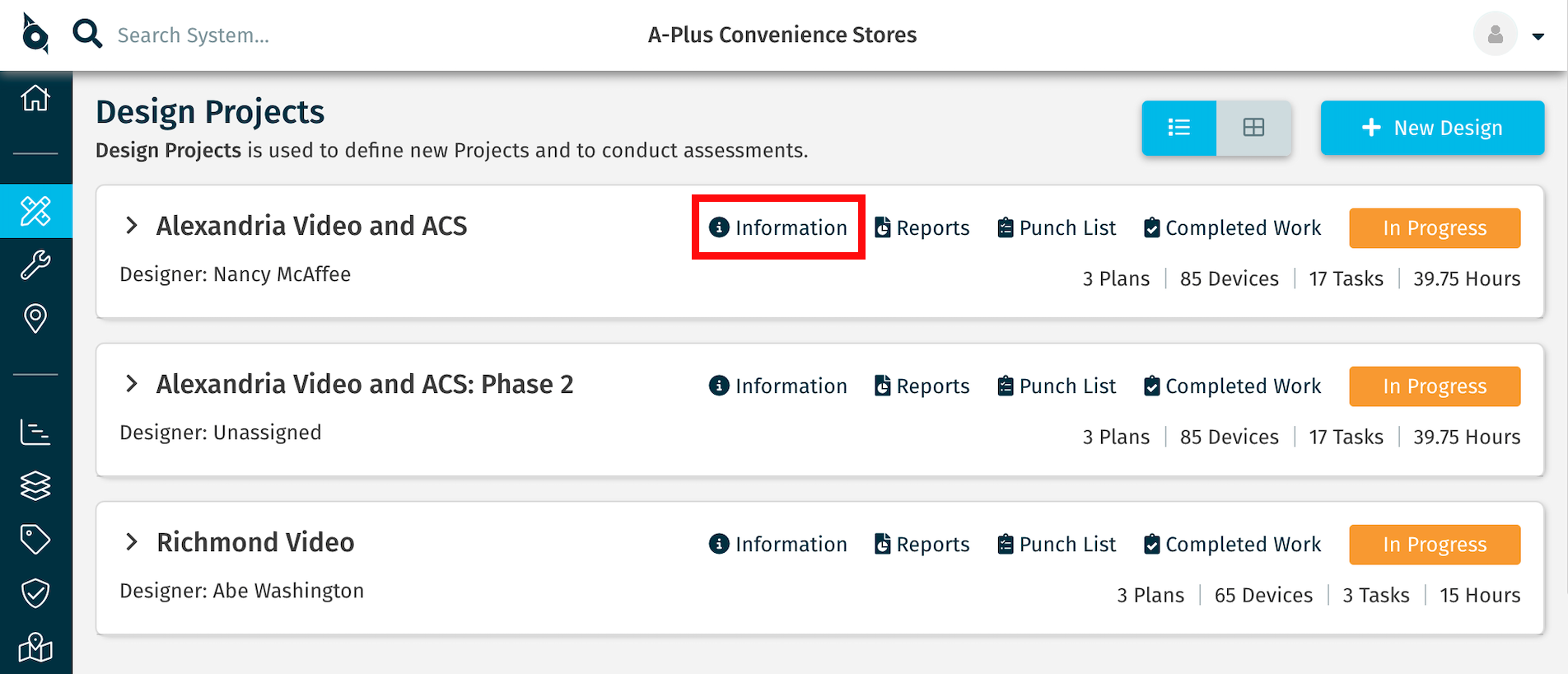
2) Click the Users tab.
3) A list of the users who currently have access to the Project is displayed. Click the +Add Users button.
4) Click the names of the users you wish to add, then click the + Add Users button to complete the step. Users added will receive an email notifying them that they now have access to the Project.
 If you do not see the user you wish to add in the list, ensure the user has been given access to the Account before assigning them to the Project.
Related Articles
Managing Headquarters Users
As a Headquarters Administrator or Coordinator, you have the ability to manage your Headquarters Users (your employees) who'll work in SiteOwl and give them access to selected Accounts and Projects. For help adding and managing your Account Users ...Managing Subcontractors and Non-Employee Users
What's in this Article? Steps for adding and configuring subcontractors and other type of non-employee users. These users are typically not your direct employees. For help adding and managing your Headquarters Users (direct employees), see: Managing ...Adding Project Devices/Tasks Using Import
The typical method of adding Devices and Tasks to a Plan is to drag and drop each item to the Plan and update its details. This approach can be fast and easy, especially when using Favorites for consistent and accurate results. However, there may be ...Correcting User Accounts (Headquarters Users vs Account Users)
Overview Only users with Administrator level access can perform the following actions. The training course, SiteOwl Administration, outlines the two ways in which users should be created in the system. Determining which method depends upon the type ...Assigning Users to Devices and Tasks
When managing a Project, it’s often important to designate certain portions of the system to specific users. Using SiteOwl's Assigned To feature, you can easily assign Devices and Tasks to individual users, making it clear which aspects of the ...